
Text to Image vs Image to Image: When to Use Which
Text to image starts from words; image to image starts from a picture you already have. How the two differ here, when each one fits, and how to use them together.
Both tools end with a new image, but they start from different places. Text to image starts from words alone. Image to image starts from one or more pictures you already have, plus a sentence about what should happen to them. Picking the right one saves credits, because each needs a different kind of prompt and neither is good at the other's job.
What each one takes
Text to Image takes a prompt, a model and an aspect ratio (1:1, 3:4, 4:3, 9:16 or 16:9). Nothing is uploaded. The model invents everything in the picture from your description.
Image to Image takes one to four reference images (JPG, PNG or WebP, up to 10MB each), a prompt and a model. With most of its models you can also leave the aspect ratio on Auto, which keeps the shape of the image you uploaded. The model works from what is in your pictures and changes what you ask for.
Both cost the same per image: 30 credits with most models, 60 with Nano Banana Pro.
Use text to image when
- Nothing exists yet. A blog cover, a poster idea, a scene for a story.
- You want options. Every run is a different picture, which is useful when you are still looking for a direction.
- Exact likeness doesn't matter. "A corgi on a grey sofa" is fine; your corgi on your sofa is not something a text prompt can deliver.
Use image to image when
- Something specific must stay recognizable. Your product, your pet, a room, a person.
- You want to change one thing. The background, the season, the light, the style.
- You want to combine pictures. A product from one photo in the scene from another, for example.
- You already have an image you like. Editing it is more predictable than rewriting the prompt and hoping the good parts come back.
The prompts are different
A text to image prompt describes the whole picture: subject, style, lighting and composition. (How to write an image prompt that works covers that.)
An image to image prompt describes a change. Say what should be different and what should stay:
Turn this into a snowy winter morning: fresh snow on the driftwood, soft snowflakes falling, cool blue morning light.
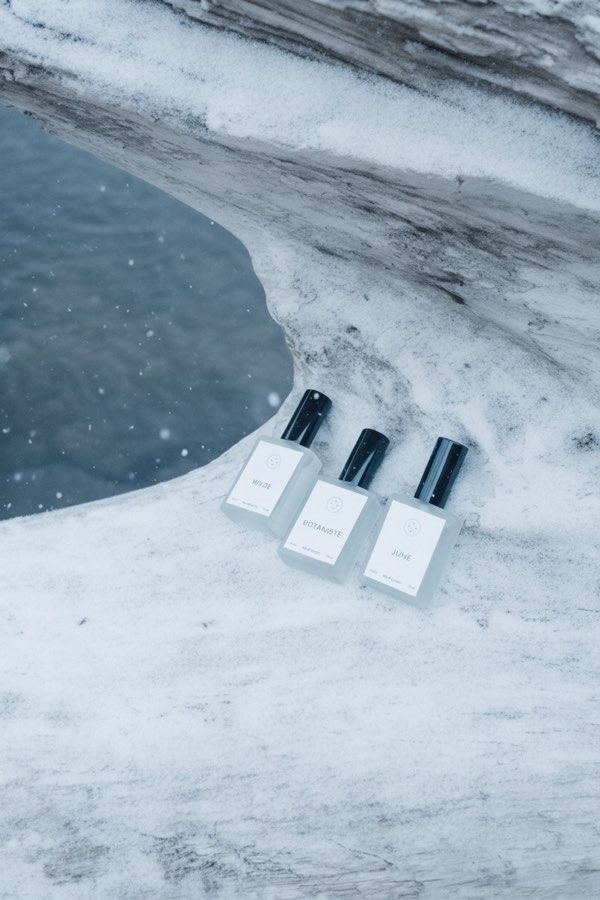
That prompt was run on a photo of three perfume bottles on bare driftwood. The bottles and the framing carried over; the season changed. With several images, name each one by what is in it ("the red sneaker", "the city street") so the model knows what to take from where.
Using both: generate, then edit
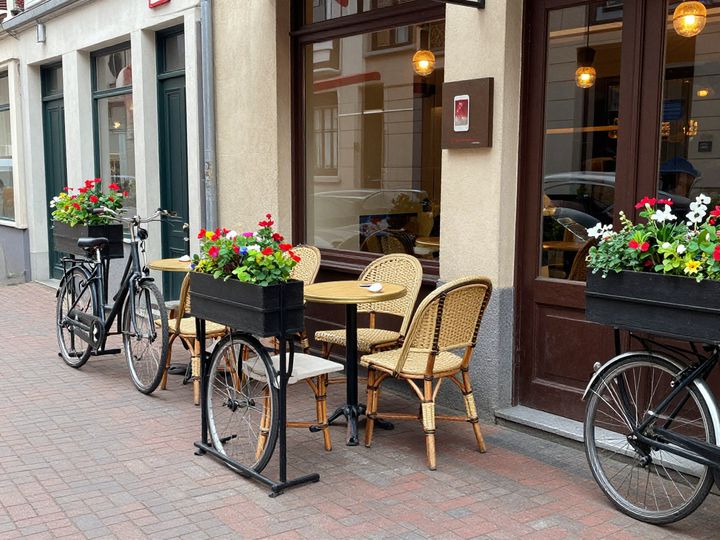
The two tools work well in sequence. This street scene was made with text to image:
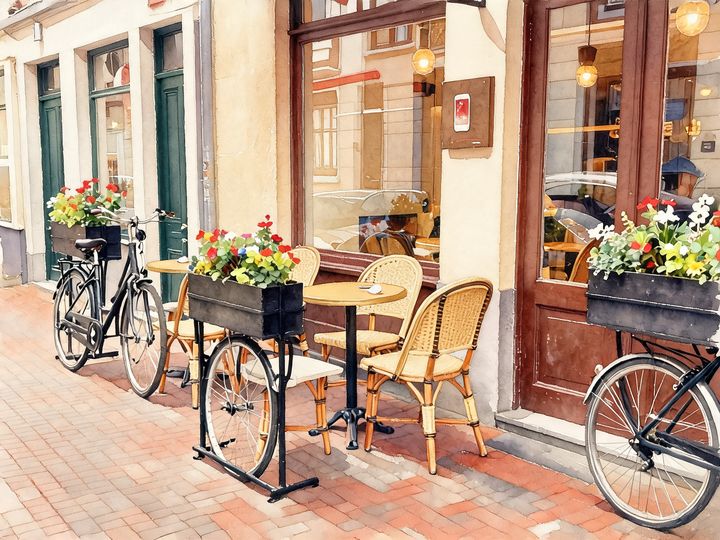
It was then given to Style Transfer, one of the image-to-image tools, with the watercolor preset:
The layout is the same: the same tables, bicycles and flower boxes in the same places. Getting that from a second text prompt would take many tries, because text to image redraws everything each time.
Things to know before you upload
- People in photos. You have to confirm that the photo is of you, or that you have permission from everyone in it. Face swapping isn't offered: the tool is instructed to keep people as who they are.
- Check the details. The model is told to keep what you don't mention, but small things such as label text or fingers can still shift. Compare the result with your original.
- Where uploads go. Uploaded images are sent to the API provider's temporary storage, which deletes them within 24 hours. Results are saved in My Images.
A quick rule
If you can't point to a picture and say "like this, but…", start with text to image. If you can, upload it and use image to image. And when a generated image is close, switch to image to image to change that one part rather than rolling the dice again.
Try these tools
Image to Image
Upload one to four images, describe what you want, and get a new 1K image built from them.
Nano Banana AI Photo Editor
Upload a photo, describe the change in plain words, and get the edited image.
AI Style Transfer
Redraw any photo as a watercolor, oil painting, pencil sketch, pixel art, pop art or ukiyo-e print, keeping the subject and composition.